Sun 24 May 2026

ChatGPT

Labour Day Special | AI for Better Safety Training

Today, on Labour Day, let’s remember one simple truth:

Workers do not need complicated safety slides.
They need clear, practical, and relatable training that helps them return home safe.

This week, let’s explore how ChatGPT can help HSE professionals create better safety training material from just one topic.

Ask ChatGPT to create a full training plan. Copy and paste this prompt into ChatGPT:

Prompt 1: Convert a topic into a full training plan

Act as an experienced HSE trainer and instructional designer.
Create a practical safety training plan on the topic:
[INSERT TOPIC]

Target audience: [workers / supervisors / engineers / contractors / mixed audience]
Industry: [oil and gas / construction / chemical / pharmaceutical / manufacturing / ports / general industry]
Training duration: [15 minutes / 30 minutes / 1 hour / half day / full day]
Training level: [basic / intermediate / advanced]
Language style: simple, practical, and easy to understand.

Include:
1. Training title
2. Training objective
3. Who should attend
4. Learning outcomes
5. Session flow with timing
6. Key hazards or key concepts
7. Practical examples from site work
8. Control measures or safe practices
9. One short case study
10. One group activity
11. Five quiz questions with answers
12. Final takeaway message
Keep the content practical, not academic. Avoid unnecessary legal-heavy language. Focus on real workplace behavior and decision-making.

Prompt 2: Turn the training plan into PowerPoint slide content

Now convert the above training plan into a PowerPoint presentation structure.
Create *[INSERT NUMBER] slides*.

For each slide, provide:
1. Slide title
2. 3 to 5 short bullet points
3. Trainer speaking notes
4. Suggested visual idea
5. One participant engagement question, where suitable

Keep the slide text short and clean. Put detailed explanation only in trainer notes.
Use a professional HSE training tone suitable for *[INSERT INDUSTRY]*.

Prompt 3: Create a ready-to-copy PPT table format

Format the PowerPoint content into a clean table with the following columns:
Slide No. | Slide Title | On-Slide Text | Trainer Notes | Visual Suggestion | Interaction Question

Make the slide text concise. Keep trainer notes practical and useful for delivery.

Ensure the presentation has a logical flow:
Introduction → Hazard Understanding → Risk Examples → Controls → Case Study → Activity → Quiz → Key Takeaways.

Prompt 4: Make the presentation more worker-friendly
……………………..
………………………
………………………..

Subscribe for more…. 😉

The detailed prompts became too long for WhatsApp, and we do not want everyone’s phone to start scrolling like a generic safety procedure.

So, for the full editable prompt pack, please refer to the following MS Word file. Also I have dropped a pdf file for detailed guide about using these prompts.

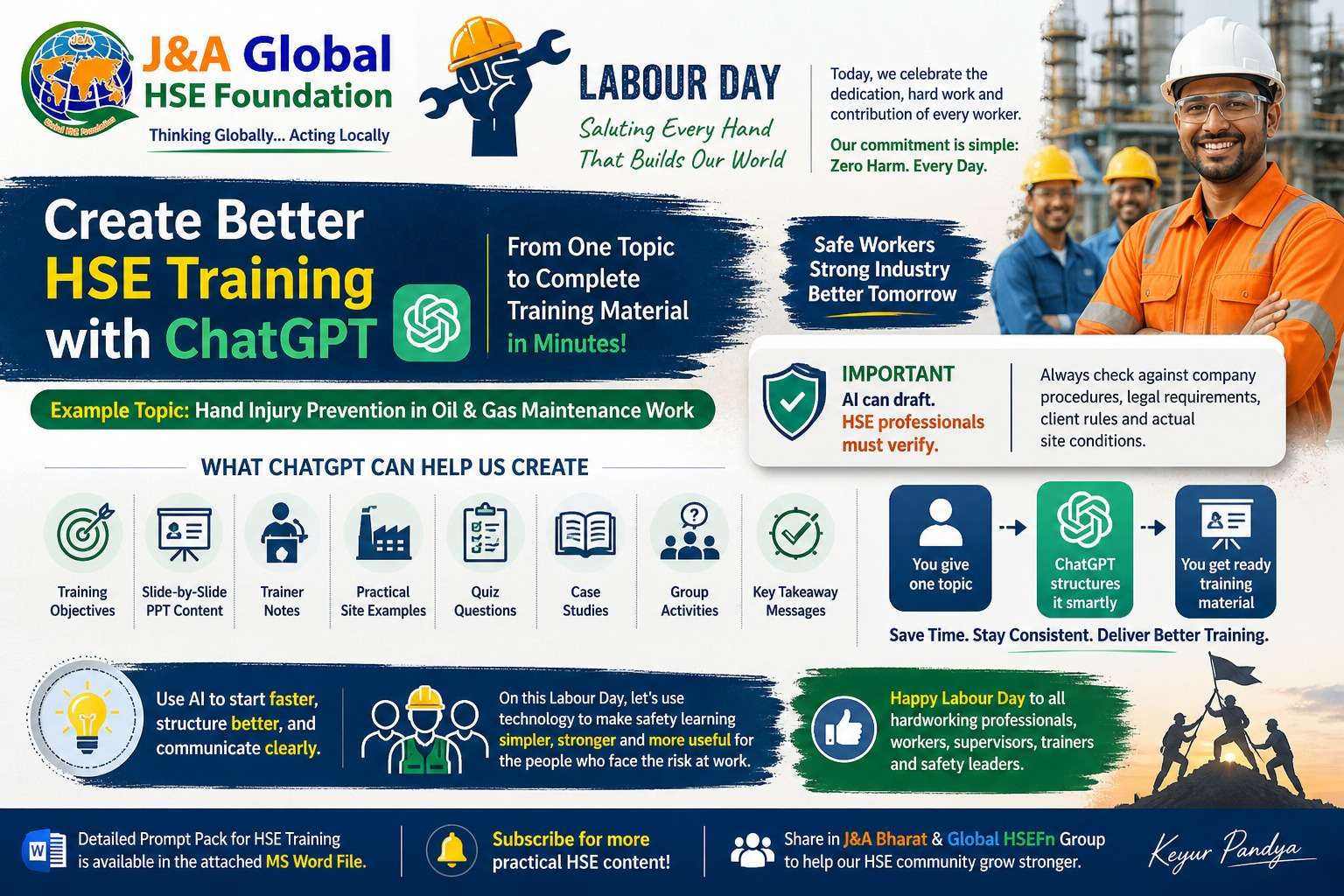
ChatGPT can help us prepare:
✅ training objectives
✅ slide-by-slide PowerPoint content
✅ trainer speaking notes
✅ practical site examples
✅ quiz questions
✅ case studies
✅ group activities
✅ final takeaway messages

This can save preparation time and improve training structure.

But one reminder is important: AI can draft. HSE professionals must verify.

Every training material must still be checked against company procedures, legal requirements, client rules, and actual site conditions. Because a beautiful wrong slide is still wrong, just wearing a tie.

On this Labour Day, let’s use technology to make safety learning simpler, stronger, and more useful for the people who actually face the risk at work.

Use AI to start faster, structure better, and communicate more clearly.

Happy Labour Day to all hardworking professionals, workers, supervisors, trainers, and safety leaders.

J&A Global HSE Foundation
Thinking Globally… Acting Locally

Note:
All previous AI Friday capsules are uploaded in our website https://jabharathsefoundation.org/artificial-intelligence-ai-tools-in-hse/