- 919866784338, 1(480)5807667
- info@jabharathsefoundation.org
- Saroor Nagar, Hyderabad 500035.
Thu 09 Jul 2026
From HSE Text to Clear, Editable Visuals with Napkin AI
We often have the right safety information.
It may already exist in:
* Procedures
* Risk assessments
* Incident reports
* Audit findings
* Training notes
* Process-safety studies
The real challenge is explaining that information clearly.
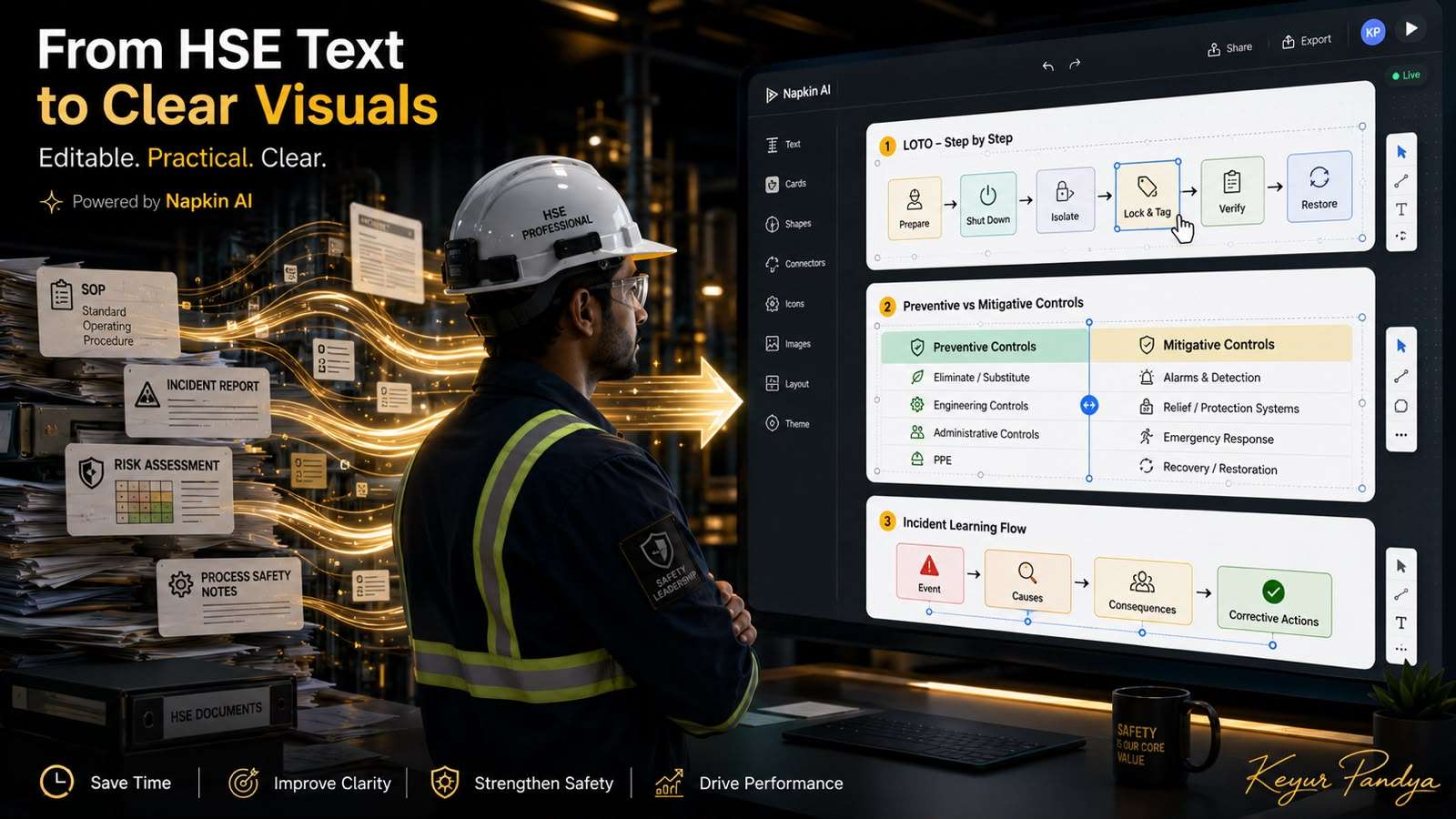
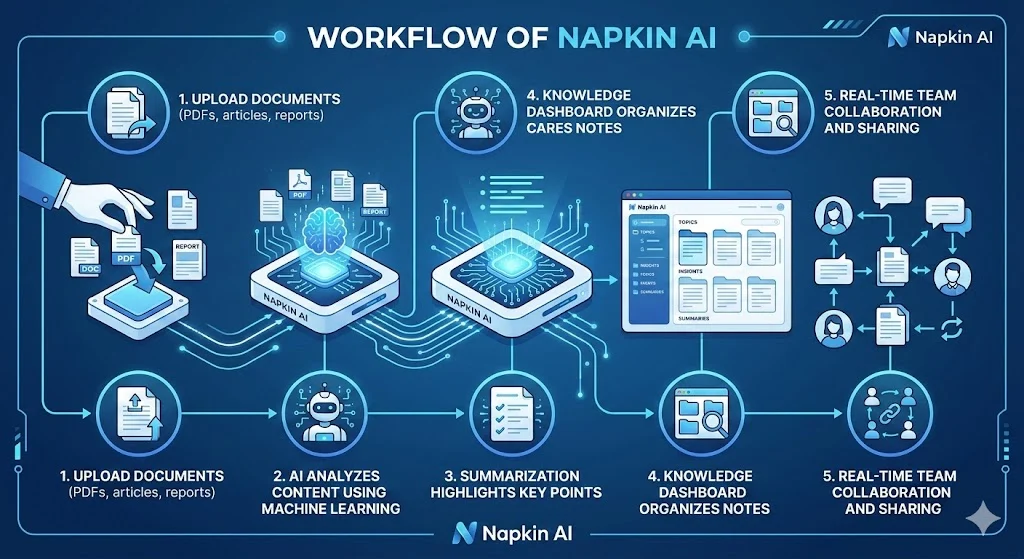
This week, let’s explore Napkin AI, a text-to-visual tool that converts written content into diagrams, flowcharts, timelines, comparison visuals, mind maps, and infographics.
Unlike a general chatbot, Napkin AI is mainly focused on visual communication.
We tested it using HSE topics such as:
* Lockout/Tagout verification
* Preventive versus mitigative controls
* Dropped-object incident learning
* Chemical unloading loss-of-containment scenarios
The tool converted the supplied text into structured visuals that could be edited before export.
That is where it becomes useful for HSE professionals.
How can we use it?
1. Convert procedures into workflows
We can paste verified steps from an approved procedure and generate a simple flowchart.
Useful topics include:
* Permit to work
* LOTO
* Confined-space entry
* Chemical unloading
* Emergency evacuation
* Incident notification
* Management of change
The visual can help workers understand the correct sequence, responsibilities, and verification points.
2. Present incident learning clearly
We can structure an incident as:
Event → Immediate Causes → Failed Controls → Potential Consequences → Corrective Actions
This can support:
* Toolbox talks
* Safety alerts
* Supervisor briefings
* Lessons-learned meetings
* Management presentations
Instead of showing another crowded report, we can explain the event through one clear visual.
3. Explain occupational and process-safety concepts
Napkin AI can also help us create comparison visuals such as:
* Preventive versus mitigative controls
* Unsafe act versus system failure
* Immediate cause versus root cause
* Leading versus lagging indicators
* Occupational safety versus process safety
For process safety, we can use it to communicate already-verified information such as barrier sequences, loss-of-containment scenarios, and escalation pathways.
The important distinction is this:
Napkin AI does not perform the engineering study.
It helps us communicate the verified study visually.
Are the visuals editable?
Yes.
Inside Napkin AI, we can edit the content, layout, icons, styles, colors, and visual structure.
This means the first AI-generated output is not necessarily the final result.
We can correct the wording, simplify the design, and align it with our approved HSE content.
For the best working experience, creation and editing are currently available on desktop. Existing Napkins can be viewed on mobile, but mobile creation and editing are not currently supported.
Free and paid plan overview
Free plan: $0
Suitable for individual professionals and light use.
It currently includes:
* 500 AI credits per week
* Unlimited visual editing
* Unlimited supported file imports
* PNG and PDF export
* Built-in styles and fonts
* Standard icons
The free plan includes Napkin branding on exported visuals.
Plus plan: $9 per person/month
Suitable for professionals creating visuals regularly.
It adds:
* 10,000 AI credits per month
* PowerPoint and SVG export
* Removal of Napkin branding
* Three brand styles
* Bold icons
* Team management and billing
Pro plan: $22 per person/month
Suitable for frequent users, consultants, trainers, and teams.
It adds:
* 30,000 AI credits per month
* Exclusive visual designs
* Unlimited custom branding
* Custom font upload
* Optional credit top-ups
Which plan is practical..?
The free plan is enough to test the tool and create occasional visuals for:
* Toolbox talks
* Safety posts
* Incident learning
* Training slides
* Procedure workflows
The paid plans become more useful when we need:
* Editable PowerPoint export
* SVG files
* Removal of Napkin branding
* Higher generation limits
* Company branding
* Regular client or training use
One important caution
Napkin AI can improve presentation quality.
It does not verify whether our HSE content is technically correct.
We must still check:
* Terminology
* Control hierarchy
* Procedure sequence
* Regulatory references
* Site-specific requirements
* Process-safety logic
A polished visual with an incorrect control is still an incorrect safety message, merely wearing nicer clothes.
The best use of this tool is simple:
We provide verified safety knowledge.
Napkin AI helps us present it clearly.
Our professional judgment protects its accuracy.
When safety knowledge becomes easier to understand, it becomes easier to remember, discuss, and apply.
Every clearer instruction, every better toolbox talk, and every well-explained control can help someone make a safer decision.
Let’s keep using technology thoughtfully, not to replace our responsibility, but to strengthen the way we protect people.
Note:
All previous AI Friday capsules are uploaded in our website https://jabharathsefoundation.org/artificial-intelligence-ai-tools-in-hse/
Copyright © 2022 J&A Bharat HSE Foundation. All rights reserved
J&A BHF / GHF Annual Keval Shanti & Dr Pravin Patel - Mita Patel Students Scholarship Program 2026 | Last Date 31 Aug 2026 | Click Here