- 919866784338, 1(480)5807667
- info@jabharathsefoundation.org
- Saroor Nagar, Hyderabad 500035.
Mon 24 Aug 2026
Stop Taking Hundreds of SOP Screenshots
Creating an SOP often becomes a second job.
We capture screenshots one by one.
Crop them.
Add arrows.
Write every instruction.
Then record a separate training video explaining the same process.
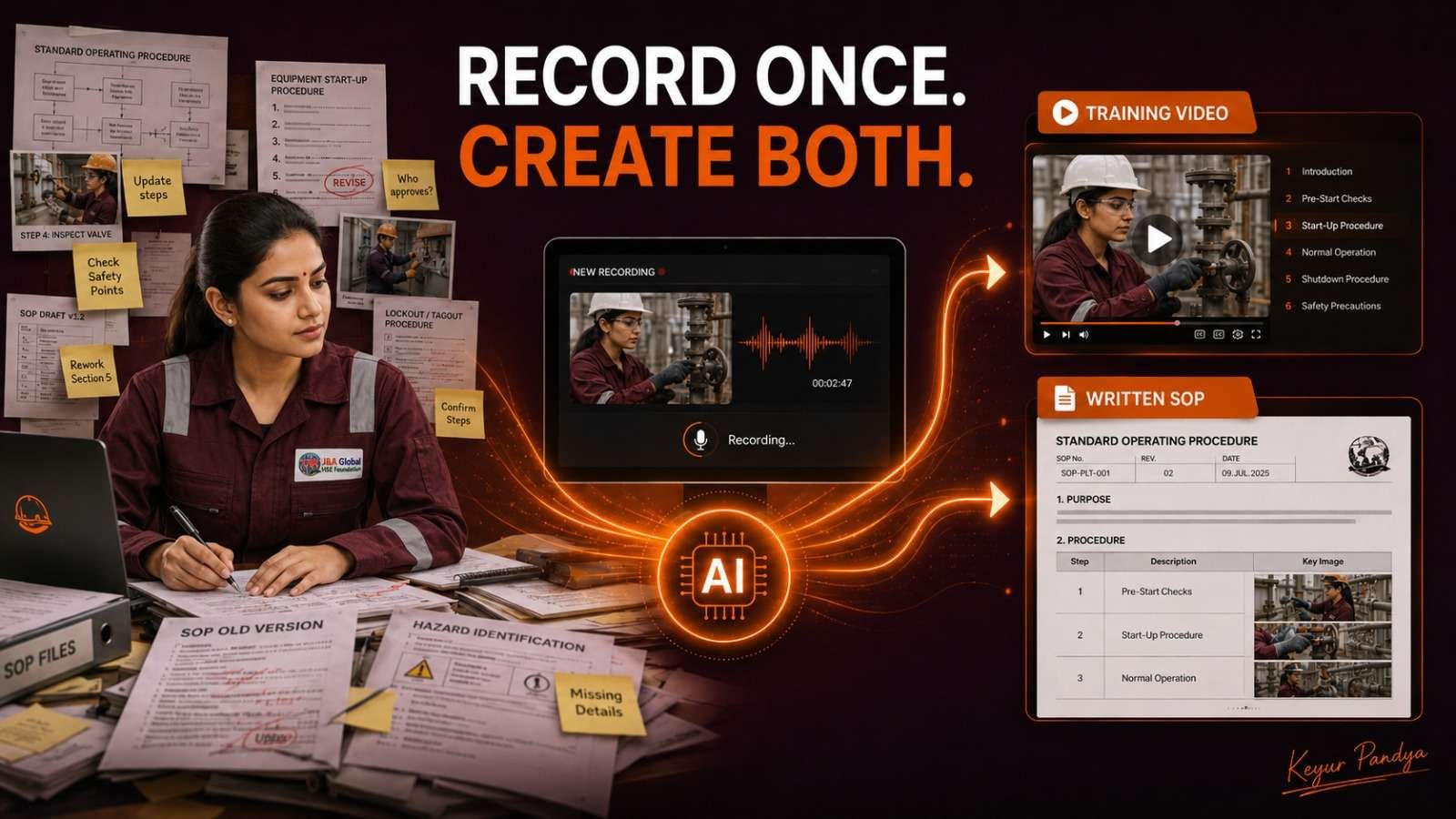
This week, let’s explore Clueso, an AI-powered platform that can turn one rough screen recording into:
A polished training video
A structured step-by-step SOP
Automatically captured screenshots
An improved narration script
AI voice-over and captions
Content translated into multiple languages
In simple terms:
> We can now create both the training video and the written SOP from one screen recording.
Clueso is mainly designed for documenting digital workflows, software systems and screen-based procedures. It will not automatically create a reliable physical maintenance procedure merely because we filmed a technician tightening a bolt. The laws of competence remain stubbornly in force.
How can we use Clueso in HSE?
Permit-to-Work system guide
Suppose we need to explain how to raise an electronic permit.
Step 1: Open the PTW portal.
Step 2: Record the screen while creating a sample permit.
Step 3: Explain each step naturally while recording.
Step 4: Upload the recording to Clueso.
Step 5: Let it prepare the script, screenshots, video and written guide.
Step 6: Review all permit fields, terminology and approval steps.
Step 7: Export the approved video and SOP for training.
One demonstration can become both a visual tutorial and a written work instruction.
Incident-reporting software
We can demonstrate how to:
Register a new incident
Select an incident category
Attach photographs
record immediate actions
assign CAPA
submit the report
Clueso can convert the recording into a short walkthrough video and a step-by-step help article.
This can be useful for employees who understand better by watching, as well as those who prefer written instructions.
HSE dashboard walkthrough
We can record ourselves explaining a Power BI, Excel or web-based HSE dashboard.
For example:
Where to find overdue actions
How to filter by department
How to review incident trends
How to check training compliance
How to export the monthly report
The same recording can then become a management walkthrough video and a quick-reference guide.
How does the process work?
Clueso presents the workflow in four broad stages:
1. Record or upload
Record the process through its Chrome extension, or upload an existing screen recording, presentation or supported file.
2. Generate
Its AI improves the script, creates a voice-over, enhances the visuals and generates a step-by-step document with screenshots.
3. Review and edit
We can correct the script, change the voice, blur sensitive information, adjust zooms, edit screenshots and apply brand elements.
4. Export and share
The final material can be shared as a video, article or other supported export format.
Free trial and paid plans
Clueso is not a free unlimited tool. It currently offers a seven-day free trial for evaluation, without requiring a credit card.
The pricing page currently lists the trial for:
One user
Limited video exports
Up to 15 article exports
Video export up to 1080p
Clueso’s own pricing page currently shows slightly different trial-video limits in separate sections, so we should confirm the live allowance before starting an important project.
Clueso states that its data is stored in AWS cloud infrastructure and that it holds SOC 2 Type II and ISO 27001 certifications. Its privacy policy also states that information may be transferred to and processed in the United States. Company information-security requirements must therefore come before convenience.
Important HSE caution
Before recording any company system:
✅ Obtain approval from the IT or system owner
✅ Use a demonstration account wherever possible
✅ Hide employee names, IDs and contact details
✅ Blur confidential fields and client information
✅ Verify every generated instruction and screenshot
✅ Put the final document through normal approval and document control
❌ Do not record passwords, access keys or confidential incident information
❌ Do not treat AI-generated content as an approved SOP without competent review
❌ Do not upload client-sensitive systems without authorization
> Safety knowledge becomes valuable only when people can understand it, find it and apply it correctly.
Official website: https://www.clueso.io/
Official pricing: https://www.clueso.io/pricing
Tutorial video: https://www.youtube.com/watch?v=Oknifxph7NY
Note:
All previous AI Friday capsules are uploaded in our website https://jabharathsefoundation.org/artificial-intelligence-ai-tools-in-hse/
Copyright © 2022 J&A Bharat HSE Foundation. All rights reserved
J&A BHF / GHF Annual Keval Shanti & Dr Pravin Patel - Mita Patel Students Scholarship Program 2026 | Last Date 31 Aug 2026 | Click Here